Speed Up PC, Windows 10 or 11
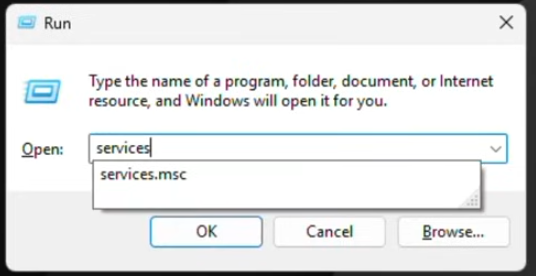
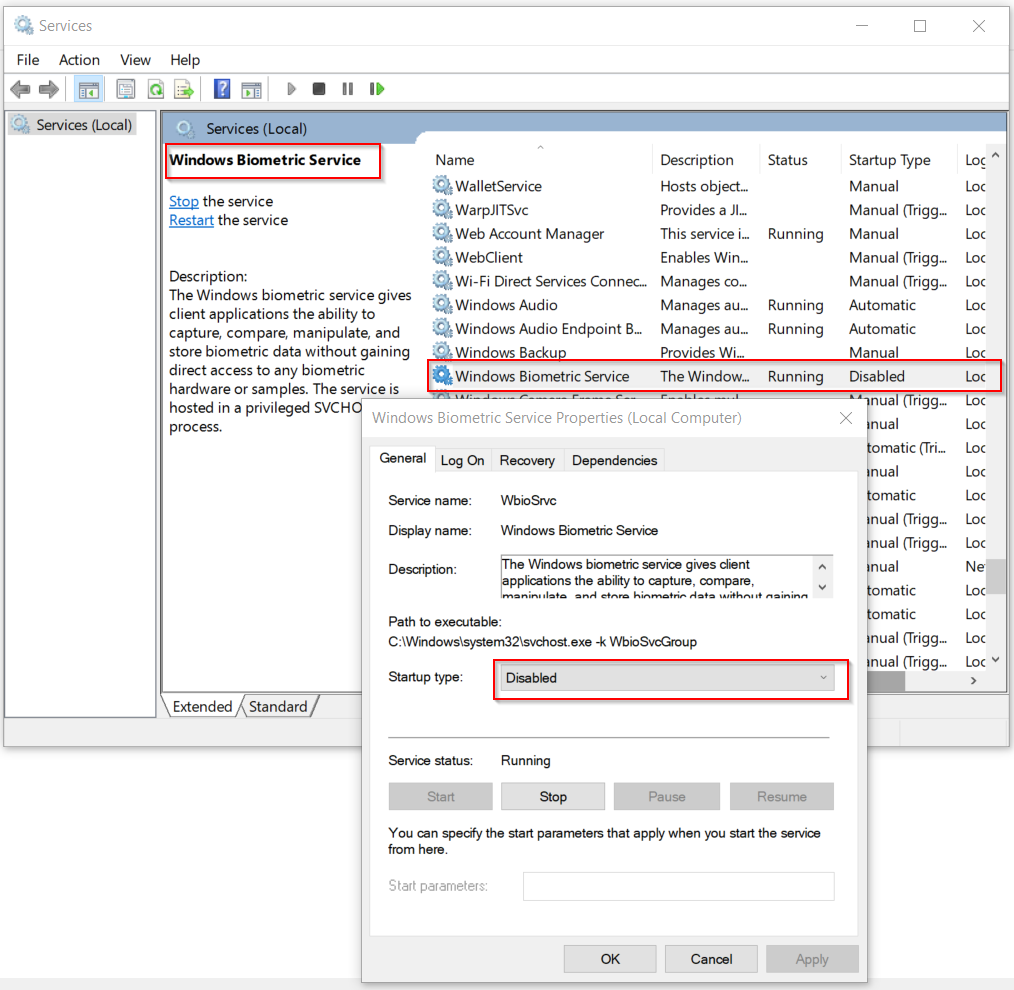
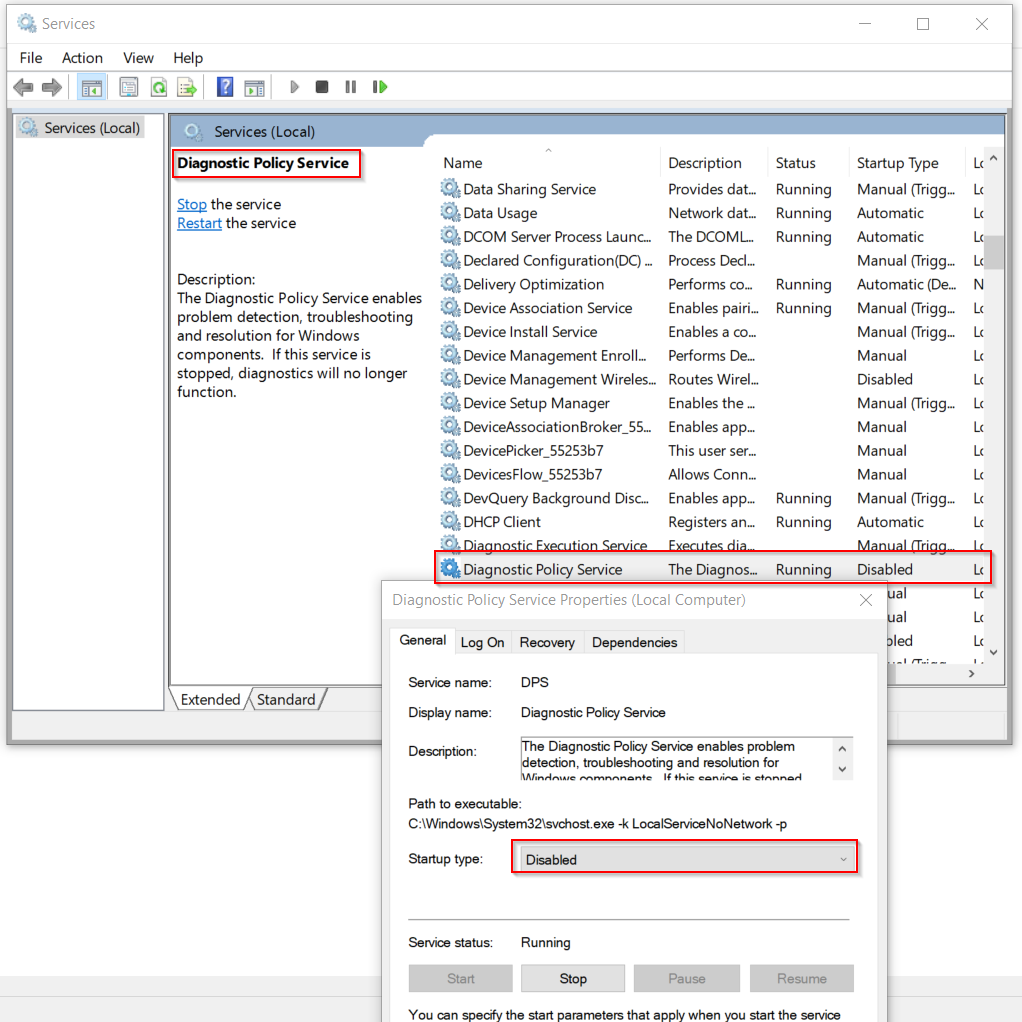
Click Windows + R
Type: Services.msc
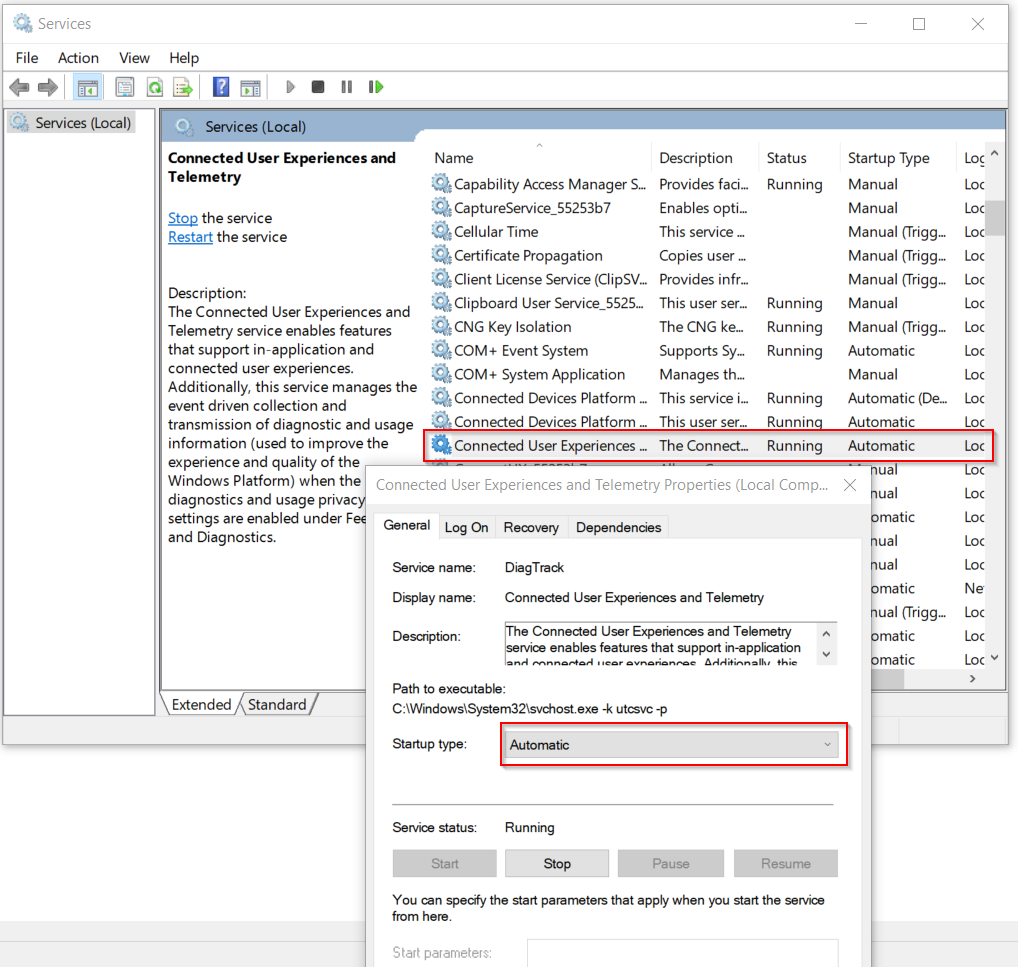
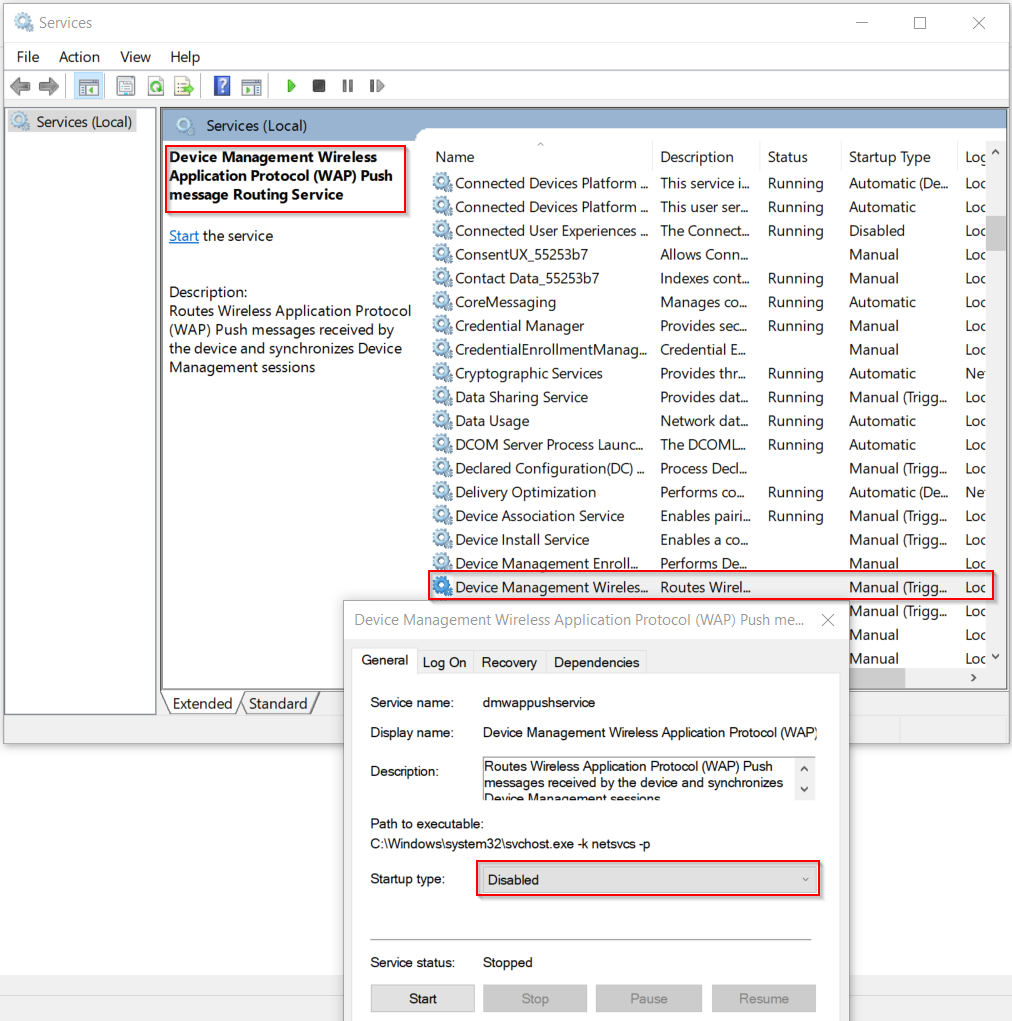
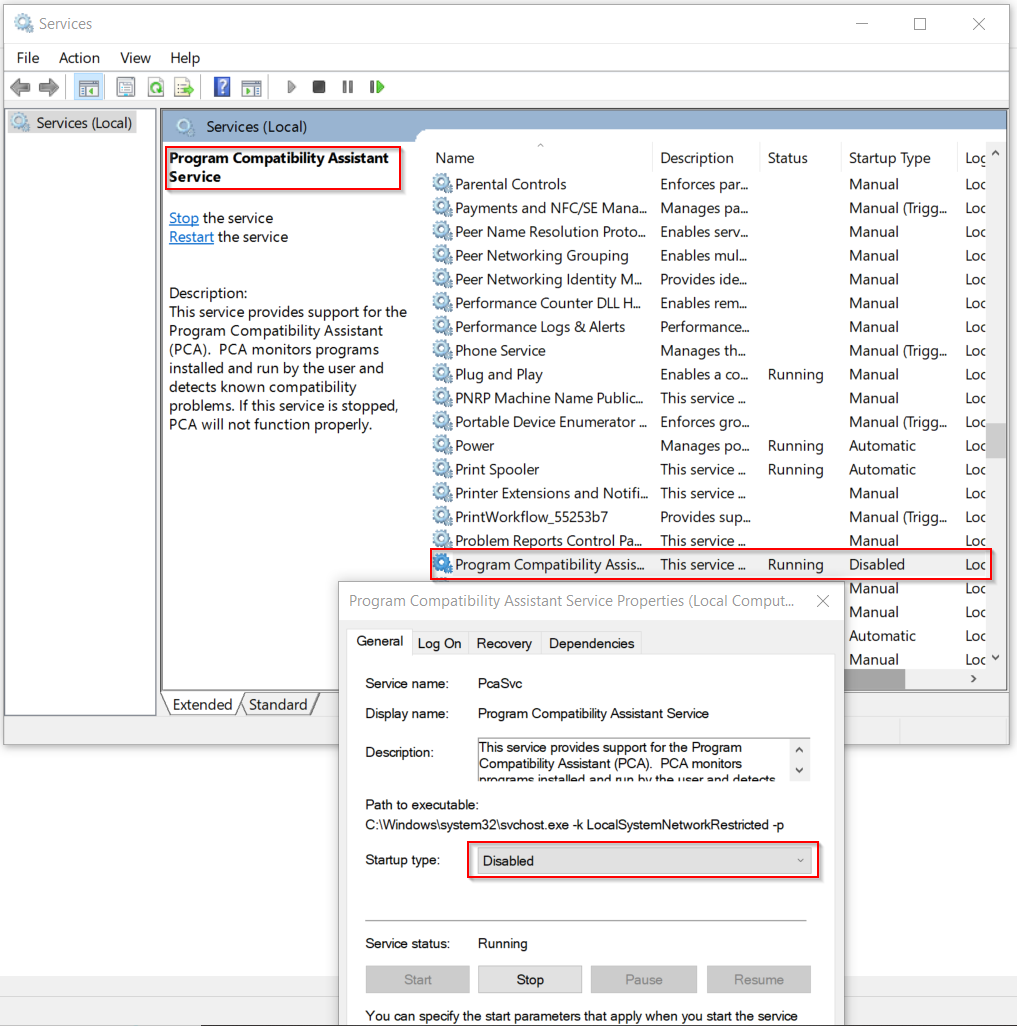
Disable every entry you will see here.
Download Bleach Here
Right-click BleachBit and select Run as administrator.
Select Cleaning Options Carefully:
You can choose to clean:
Cache
Temporary files
Internet cache
Old logs
Thumbnails
Unnecessary system files
Caution with some options like "Shred files" or "Secure delete" if you’re unsure.
Preview Before Cleaning:
Use the Preview button to see what will be deleted.
Confirm that no critical files or data are selected.
Clean:
Click Clean to start the process.